
MPBOU Exam Form 2026: Filling Process, Fee and Last Date
MPBOU released the official examination form notification for the Jan-Dec 2026 academic session on 05 October 2026. Online exam form services and Student Information System (SIS) registration are managed through the MPOnline portal at mpbou.mponline.gov.in.
- MPBOU released the examination form notification for the Jan-Dec 2026 academic session on 05 October 2026.
- MPBOU Student Information System (SIS) registration requires an Enrollment Number, Date of Birth, and a Rs. 20 portal fee.
- The MPOnline technical helpline for MPBOU exam form payment issues is 0755-6720200.
- The MPBOU university helpline numbers for exam inquiries are 0755-2492090 and 0755-2492091.
Jump to
- When was the MPBOU exam form notification Jan-Dec 2026 released?
- How do I complete MPBOU online exam form SIS registration?
- How do I submit an MPBOU exam form grievance online?
- What are the MPBOU exam form support helpline numbers?
- Useful MPBOU pages
- Source documents
- Quick questions, answered
- In this section
At a glance
| Notification Release Date | 05 October 2026 |
|---|---|
| Academic Session | Jan-Dec 2026 |
| Online Service Portal | MPOnline (mpbou.mponline.gov.in) |
| SIS Registration Fee | Rs. 20/- portal fee |
| SIS Credentials Required | Enrollment Number & Date of Birth |
| Technical Support Helpline | 0755-6720200 |
| University Support Helpline | 0755-2492090 / 0755-2492091 |
When was the MPBOU exam form notification Jan-Dec 2026 released?
Madhya Pradesh Bhoj (Open) University published the official notification regarding examination forms for the Jan-Dec 2026 academic session on 05 October 2026. All examination forms and related student services are provided online according to university notifications.
MPBOU has not published the subject-wise examination fee or the submission last date for the Jan-Dec 2026 session on its site as of 05 October 2026. Students must register on the Student Information System (SIS) to manage their profile and access online forms.
How do I complete MPBOU online exam form SIS registration?
Online examination forms and services are accessible through the MPOnline MPBOU portal. Regional and study centres verify student eligibility and grant online approval before enrollment or roll numbers are generated and dispatched via SMS.
Students can also view examination schedules on the MPBOU exam timetable page once announced.
- Receipts can also be fetched by downloading the MPOnline App from Google Play Store, choosing MP Mobile, and navigating to the University section.
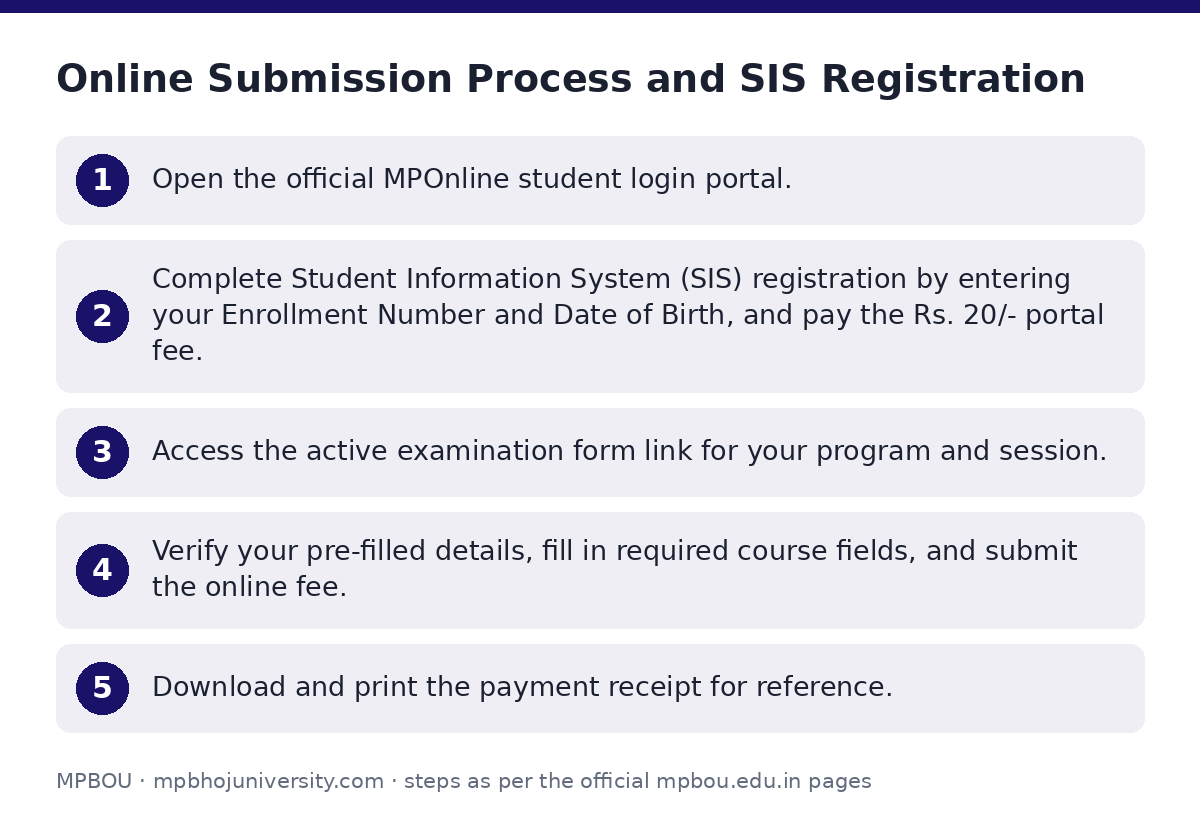
- Open the official MPOnline student login portal.
- Complete Student Information System (SIS) registration by entering your Enrollment Number and Date of Birth, and pay the Rs. 20/- portal fee.
- Access the active examination form link for your program and session.
- Verify your pre-filled details, fill in required course fields, and submit the online fee.
- Download and print the payment receipt for reference.
How do I submit an MPBOU exam form grievance online?
If candidates face technical errors during online payment or form submission, complaints can be submitted to the university or MPOnline support teams.
- Full Name, Email Address, Mobile Number, Category, Subject, and Description are mandatory fields on the university grievance portal.
- For technical portal glitches or payment issues, log an online ticket on the MPOnline ticket support page.
- For administrative or exam issues, open the MPBOU student grievance form.
- Enter your Full Name, Email Address, Mobile Number, and Enrollment Number.
- Select ‘Exam’ as the Grievance Category, type the issue subject, provide a description (up to 1000 characters), and submit.
What are the MPBOU exam form support helpline numbers?
Students can contact the following helpdesks for technical issues, payment errors, or administrative queries regarding examination forms.
MPBOU Exam Form Support Contacts
| Query Type | Contact Channel | Details |
|---|---|---|
| Technical & Payment Issues | MPOnline Helpline | 0755-6720200 |
| Online Ticket Redressal | MPOnline Helpdesk Portal | helpdesk.mponline.gov.in/ticket |
| University Helpline | Phone Contact | 0755-2492090 / 0755-2492091 |
| Admission / Exam Inquiry | Email Support | admission.mpbou@gmail.com |
| General University Email | Email Support | info@mpbou.edu.in |
Useful MPBOU pages
| What you can do | Official page |
|---|---|
| Access MPOnline examination portal | mpbou.mponline.gov.in/portal/ |
| Login to MPOnline student portal | mpbou.mponline.gov.in/Portal/Login.aspx |
| Submit student grievance online | mpbou.edu.in/grievance |
| Log MPOnline technical helpdesk ticket | helpdesk.mponline.gov.in |
| View official exam timetable | mpbou.edu.in/timetable |
Source documents
- Regarding Exam Form Notification 2026(Jan-Dec): study PDF — Official notification for exam forms Jan-Dec 2026 session
Quick questions, answered
When was the MPBOU exam form notification for the Jan-Dec 2026 session released?
MPBOU issued the official notification regarding examination forms for the Jan-Dec 2026 session on 05 October 2026. Notification updates are posted on the university website and MPOnline portal.
What is the last date to fill the MPBOU Jan-Dec 2026 exam form?
MPBOU has not published the last date for submitting the Jan-Dec 2026 examination form on its site as of 05 October 2026. Enrolled students should check the MPOnline portal regularly for open submission windows.
What is the exam fee for MPBOU Jan-Dec 2026 exams?
MPBOU has not published the detailed examination fee schedule for the Jan-Dec 2026 academic session on its site as of 05 October 2026. However, registration on the Student Information System (SIS) costs a portal fee of Rs. 20/-.
What details are needed to register on the SIS portal?
Enrolled students require their Enrollment Number and Date of Birth to register for the Student Information System (SIS) on the MPOnline portal. A portal fee of Rs. 20/- is payable to complete registration.
How can I download my exam form fee receipt?
Receipts can be generated directly on the MPOnline portal upon submission. Alternatively, students can download the MPOnline App from the Google Play Store, select MP Mobile, and fetch receipts via the University section.
Whom should I contact if I face technical issues during fee payment?
For technical or payment-related issues on the MPOnline portal, call 0755-6720200. You can also submit an online complaint ticket at helpdesk.mponline.gov.in/ticket.
Where can I submit a grievance regarding my exam form?
Students can file an online grievance on the official MPBOU Grievance portal by selecting the ‘Exam’ category. Alternatively, email admission.mpbou@gmail.com or call university helpline numbers 0755-2492090 or 0755-2492091.