
MPBOU Admit Card 2026: Download Process and Exam Centre
MPBOU publishes hall tickets for its 84 academic programmes through its online portal at mpbou.edu.in/admit-card. Enrolled students can view and download their admit card once the programme status indicates ‘Admit Card Live’.
On this page
- How do I check the MPBOU admit card portal status?
- How do I download my MPBOU admit card online?
- Where can I find MPBOU exam centre notifications and updates?
- How do I access MPBOU Student Information System SIS services?
- How do I submit MPBOU admit card grievances and contact support?
- Important MPBOU links
- Frequently asked questions
- In this section
- MPBOU publishes hall tickets for 84 academic programmes on its portal at mpbou.edu.in/admit-card.
- As of 02 October 2026, status indicators across listed MPBOU programmes display ‘Not Active’.
- Registration for the MPBOU Student Information System (SIS) requires a portal fee of Rs. 20/-.
- Students can reach MPOnline technical support for MPBOU issues by calling 0755-6720200.
Key facts
| Admit Card Portal | mpbou.edu.in/admit-card |
|---|---|
| Total Programmes Listed | 84 programmes |
| SIS Portal Registration Fee | Rs. 20/- |
| MPOnline Technical Support | 0755-6720200 |
| MPBOU University Contact | 0755-2492090, 0755-2492091 |
| Admission Contact Email | admission.mpbou@gmail.com |
How do I check the MPBOU admit card portal status?
MPBOU hosts its examination hall tickets on the official MPBOU admit card page. The portal lists 84 academic programmes organized under categories including UG, PG, Diploma, PG Diploma, Certificate, and Teachers Training.
Each course listed on the portal features a status indicator showing whether the hall ticket is active. As of 02 October 2026, status indicators across listed programmes (such as B.Ed, B.A., B.Sc., B.Com., M.A., D.El.Ed., and MCA) display ‘Not Active’ until hall tickets are officially released for the relevant examination term.
How do I download my MPBOU admit card online?
Students must access the official online portal to view and print hall tickets once published by the university.
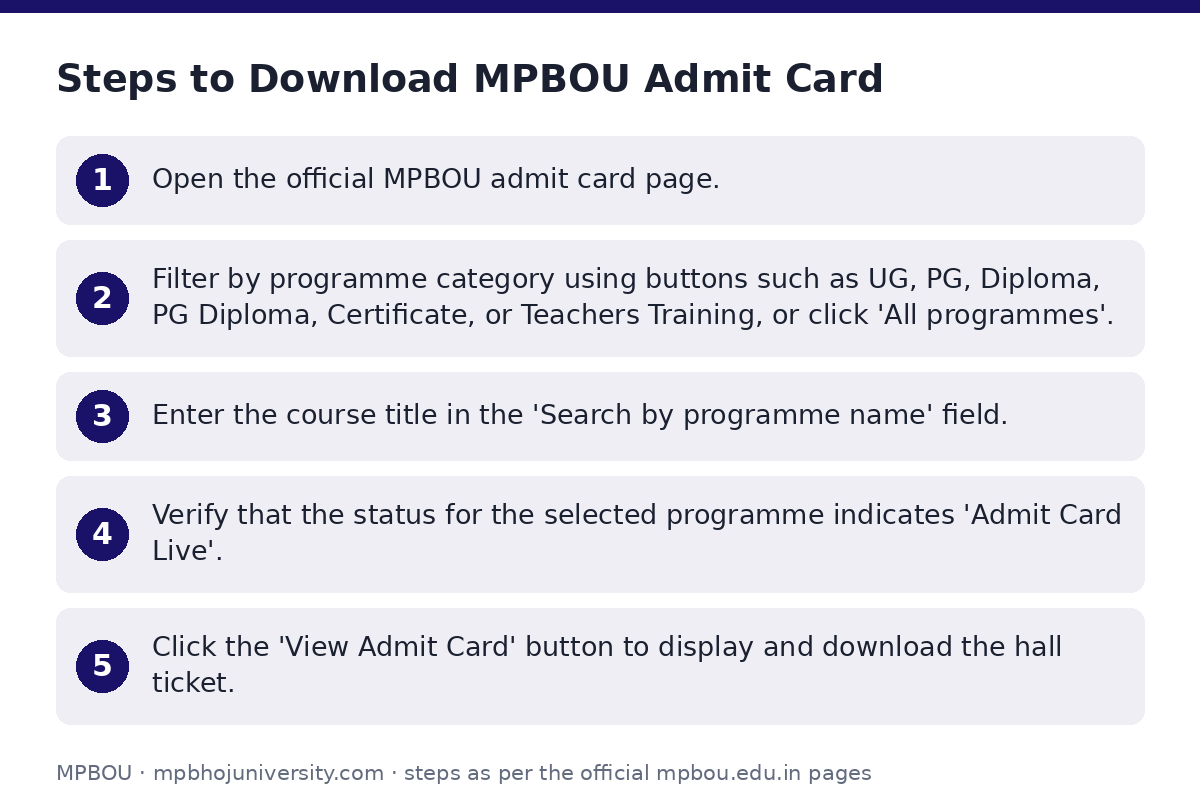
- Open the official MPBOU admit card page.
- Filter by programme category using buttons such as UG, PG, Diploma, PG Diploma, Certificate, or Teachers Training, or click ‘All programmes’.
- Enter the course title in the ‘Search by programme name’ field.
- Verify that the status for the selected programme indicates ‘Admit Card Live’.
- Click the ‘View Admit Card’ button to display and download the hall ticket.
Where can I find MPBOU exam centre notifications and updates?
MPBOU publishes specific notices for examination centre allocations, study centre changes, and exam schedules on its alerts portal and timetable page.
Students should check official notifications to confirm their designated examination venue. University alerts covering centre details include:
- D.El.Ed (ODL) Exam Center Notification
- B.Ed (SE-DE) Centre Notification
- Center Change B.Ed (ODL)
- B.Ed & D.El.Ed Study Center Change Notification
- General Exam Center Notifications
How do I access MPBOU Student Information System SIS services?
Enrolled students can create a personal profile database on the Student Information System (SIS) via the MPBOU MPOnline login portal to access receipts and online examination services.
To register on SIS, students must pay a portal fee of Rs. 20/- and enter their Enrollment Number and Date of Birth. Online fee receipts can also be fetched using the MPOnline App (MP Mobile) from the Google Play Store.
How do I submit MPBOU admit card grievances and contact support?
Candidates facing issues with admit card generation, examination form discrepancies, or centre allotment can submit a ticket on the MPBOU citizen grievance form.
The grievance submission form requires the candidate’s Full Name, Address (optional), Email Address, Mobile Number, Enrollment Number (optional for general public, applicable for students), Grievance Category (Academic, Infra, Exam, Other), Grievance Subject/Issue, and Description (up to 1000 characters). Candidates can track submitted complaints using the ‘Track Status’ feature.
- University General Helpline: 0755-2492090, 0755-2492091
- University Admission Email: admission.mpbou@gmail.com
- MPOnline Technical Support Helpline: 0755-6720200
- MPOnline Technical Support Ticket Portal: https://helpdesk.mponline.gov.in/ticket
Important MPBOU links
| What you can do | Official page |
|---|---|
| check examination schedules and timetables | mpbou.edu.in/timetable |
| download MPBOU hall tickets | mpbou.edu.in/admit-card |
| submit examination grievances | mpbou.edu.in/grievance |
| access Student Information System portal | mpbou.mponline.gov.in/Portal/Login.aspx |
Frequently asked questions
Where can I download the MPBOU Admit Card 2026?
You can download your admit card by selecting your course category and searching your programme name on the MPBOU admit card portal.
What should I do if my programme shows ‘Not Active’ on the admit card page?
‘Not Active’ indicates that admit cards for that specific programme have not yet been released for the active examination cycle. You must check back when the status changes to ‘Admit Card Live’.
What details are needed for SIS registration on MPOnline?
Registration on the Student Information System (SIS) requires your Enrollment Number and Date of Birth, along with a portal fee payment of Rs. 20/-.
How can I submit a grievance regarding my exam centre or admit card?
You can submit an online complaint on the MPBOU Citizen Grievance Portal under the ‘Exam’ category by providing your contact details, enrollment number, and issue description.
Who do I contact for technical issues on the MPOnline portal?
For technical or payment issues on MPOnline, call 0755-6720200 or raise a ticket on https://helpdesk.mponline.gov.in/ticket.