
MPBOU Admission 2026: Step-by-Step Application Process
MPBOU conducts admissions online via the MPOnline portal at mpbou.mponline.gov.in. After document verification by regional centres, enrollment numbers are sent via SMS, and enrolled students can complete SIS registration for a Rs. 20 portal fee.
- MPBOU conducts online admissions through the MPOnline portal at mpbou.mponline.gov.in.
- Enrolled students pay a portal fee of Rs. 20 to complete MPBOU Student Information System registration.
- MPBOU sends enrollment numbers and roll numbers to candidates via SMS after document verification.
- MPBOU technical and payment issue support is available at helpline 0755-6720200.
- MPBOU admission and document verification queries can be emailed to admission.mpbou@gmail.com.
Jump to
At a glance
| Application Portal | MPOnline Portal (mpbou.mponline.gov.in) |
|---|---|
| Verification Authority | Regional & Study Centres |
| Enrollment Notification | Delivered via SMS |
| SIS Registration Fee | Rs. 20 |
| Admission Contact Email | admission.mpbou@gmail.com |
| Technical Support Contact | 0755-6720200 |
What are the MPBOU online admission and verification rules?
MPBOU processes admission forms online via the MPOnline portal in accordance with official university notifications. Applicants are required to confirm their eligibility before submitting an application.
After a candidate submits an online form, regional and study centres check the uploaded documents to verify eligibility and provide online approval. Upon successful verification, the university generates an enrollment and roll number and sends it to the student via SMS. If the applicant’s documents do not satisfy eligibility rules, the admission form is canceled.
MPBOU has not published specific application deadline dates or course fee schedules for the 2026 academic session on its portal as of 02 October 2026.
How do I complete the MPBOU online application procedure?
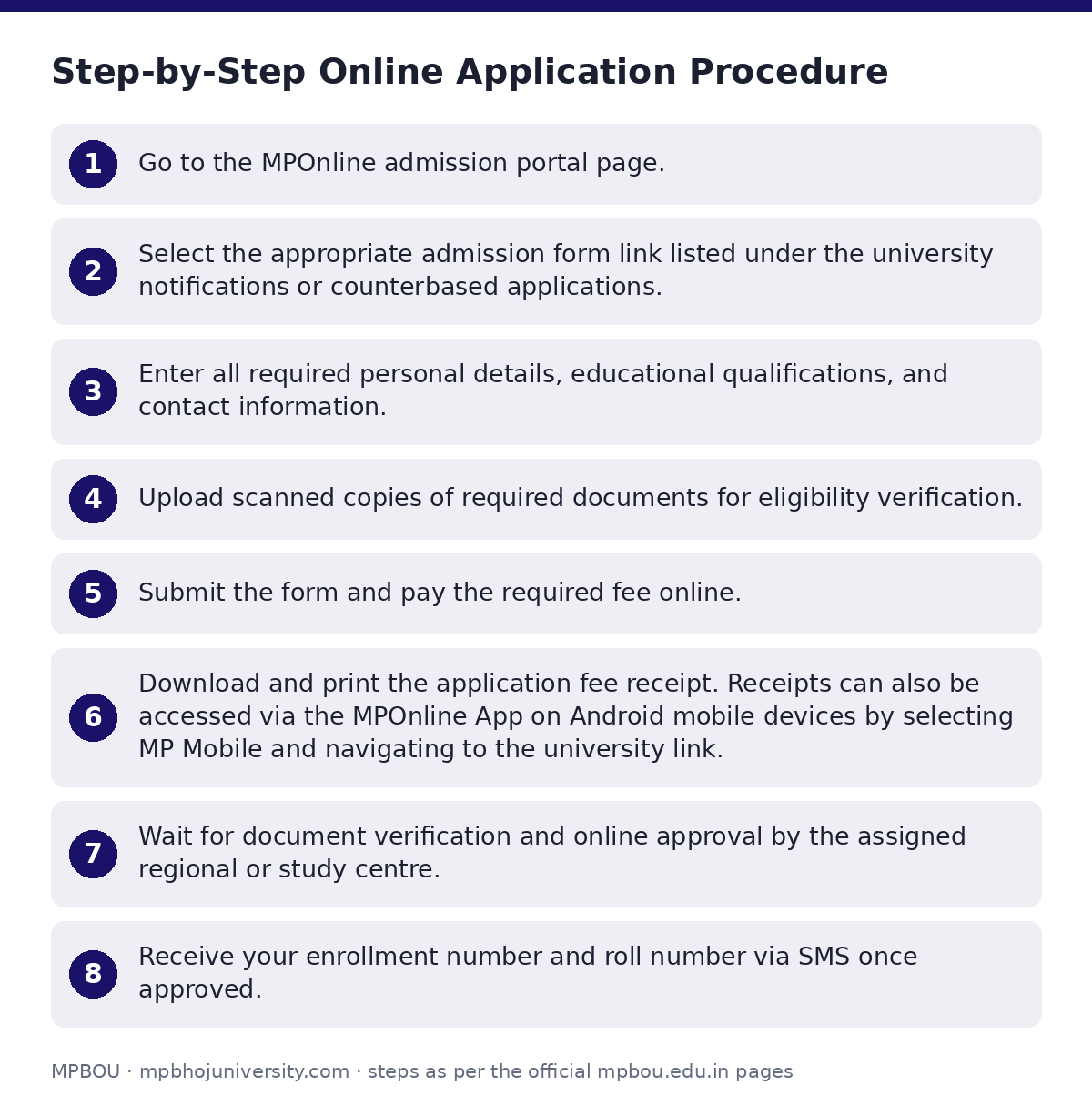
Prospective distance learning students must apply online through the MPOnline portal by following these steps:
- Go to the MPOnline admission portal page.
- Select the appropriate admission form link listed under the university notifications or counterbased applications.
- Enter all required personal details, educational qualifications, and contact information.
- Upload scanned copies of required documents for eligibility verification.
- Submit the form and pay the required fee online.
- Download and print the application fee receipt. Receipts can also be accessed via the MPOnline App on Android mobile devices by selecting MP Mobile and navigating to the university link.
- Wait for document verification and online approval by the assigned regional or study centre.
- Receive your enrollment number and roll number via SMS once approved.
How do I register for MPBOU Student Information System?
Once enrolled, students can create a personal profile database on the MPBOU portal through the Student Information System (SIS).
- Visit the MPOnline portal login page.
- Select the Student Information System (SIS) option.
- Enter your assigned Enrollment Number and Date of Birth.
- Pay the portal fee of Rs. 20 to complete registration.
How do I contact MPBOU admission support and helpdesk?
Students facing technical issues, payment failure, or eligibility verification questions can reach university support through the following channels:
MPBOU Helpdesk Details
| Issue Type | Contact Channel |
|---|---|
| Admission & Document Verification | Email: admission.mpbou@gmail.com |
| Technical & Payment Ticket Issues | Helpline: 0755-6720200 or ticket via https://helpdesk.mponline.gov.in/ticket |
| General University Enquiries | Helpline: 0755-2492090 |
| Formal Complaints & Grievances | Submit online via the MPBOU citizen grievance form |
Useful MPBOU pages
| What you can do | Official page |
|---|---|
| access MPOnline portal for admissions | mpbou.mponline.gov.in/portal |
| submit admission or university grievances | mpbou.edu.in/grievance |
| register for student information system | mpbou.mponline.gov.in/Portal/Login.aspx |
Quick questions, answered
How do applicants receive their enrollment number at MPBOU?
After document verification and online approval by the designated regional or study centre, MPBOU generates the enrollment and roll number and sends it directly to the applicant via SMS.
What happens if an admission application is found ineligible?
If an applicant does not fulfill eligibility rules according to submitted documents, the university rejects and cancels the admission form.
What is the fee for Student Information System (SIS) registration?
The portal fee for registering on the Student Information System (SIS) is Rs. 20. Registration requires an Enrollment Number and Date of Birth.
How can students obtain payment receipts for online application forms?
Payment receipts can be retrieved directly from the MPOnline portal or by downloading the MPOnline App on Android devices, selecting ‘MP Mobile’, and opening the university link.
Who should candidates contact for technical issues during online registration?
For technical or payment issues, candidates can contact technical support at 0755-6720200 or submit an online ticket at helpdesk.mponline.gov.in/ticket.
What is the email contact for MPBOU admission queries?
Admission-related queries can be emailed directly to admission.mpbou@gmail.com.
How can students submit formal grievances to MPBOU online?
Students and citizens can submit formal complaints through the university’s Grievance Redressal Cell online portal, specifying their contact details, category, and issue description.