
MPBOU Result: How to Check Grade Card and Marks
MPBOU publishes term-end examination results as downloadable PDF files categorized by session and year on its official website. Enrolled students can also register for the Student Information System on the MPOnline portal for a Rs. 20 fee.
On this page
- MPBOU publishes examination results in downloadable PDF format categorized by academic session and examination year.
- Registering for the MPBOU Student Information System on MPOnline requires an Enrollment Number, Date of Birth, and Rs. 20 fee.
- MPBOU published term-end results for ten programmes in the Jun-Jul 2026 session, including Bachelor of Journalism.
- Result errors can be reported by selecting Exam as the Grievance Category on the MPBOU Citizen Grievance portal.
Key facts
| Result Access Format | Downloadable PDF lists |
|---|---|
| SIS Registration Fee | Rs. 20 |
| SIS Credentials Needed | Enrollment Number & Date of Birth |
| Grievance Category for Results | Exam |
| Technical Support Contact | 0755-6720200 |
| University Helpline | 0755-2492090 / 0755-2492091 |
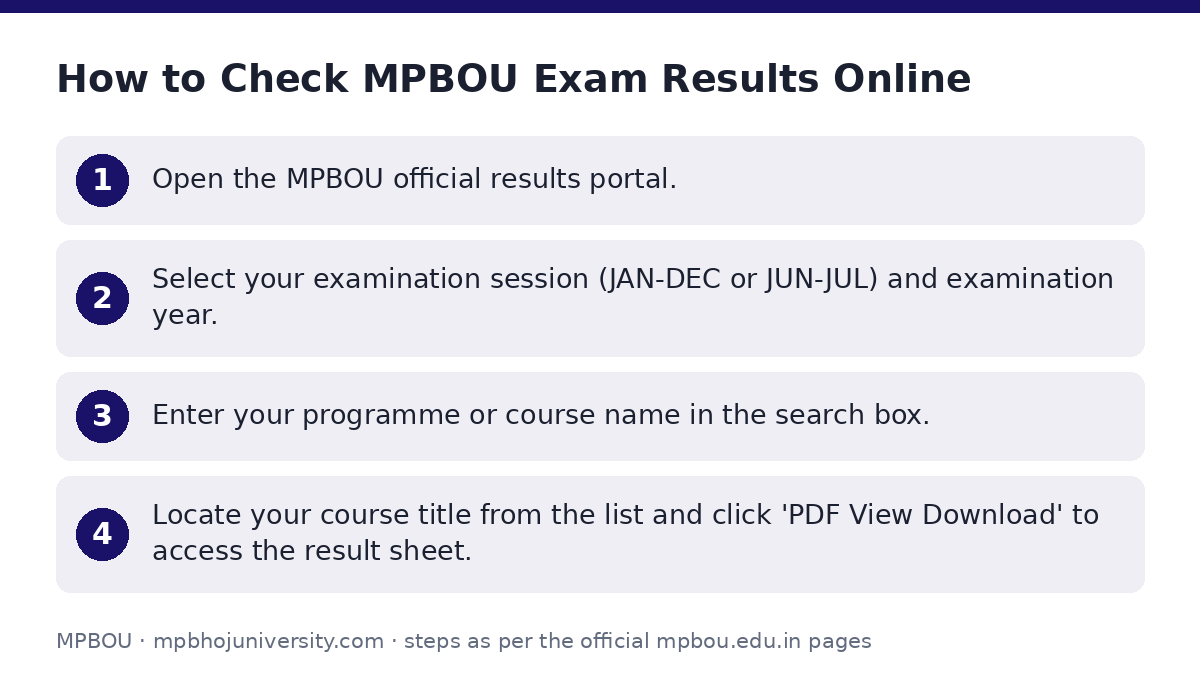
How to Check MPBOU Exam Results Online
MPBOU publishes examination result lists directly on its result portal in downloadable PDF format. Results can be sorted by academic session (such as JUN-JUL or JAN-DEC) and examination year.
- Open the MPBOU official results portal.
- Select your examination session (JAN-DEC or JUN-JUL) and examination year.
- Enter your programme or course name in the search box.
- Locate your course title from the list and click ‘PDF View Download’ to access the result sheet.
Which MPBOU term-end results are published for Jun-Jul 2026?
The following term-end examination results were published for the Jun-Jul 2026 session on the official results page:
MPBOU Published Results for Jun-Jul 2026 Session
| Programme Title | Session | Year | Format |
|---|---|---|---|
| Certificate in Introduction to Yoga Nidra | JUN-JUL | 2026 | PDF Download |
| Master of Journalism & Mass Communication (MJMC) (Previous Year) | JUN-JUL | 2026 | PDF Download |
| Bachelor of Journalism (BJ) | JUN-JUL | 2026 | PDF Download |
| Master of Social Work (MSW) (Previous Year) | JUN-JUL | 2026 | PDF Download |
| Master of Arts Geography (Final Year) | JUN-JUL | 2026 | PDF Download |
| Master of Arts History (Final Year) | JUN-JUL | 2026 | PDF Download |
| Master of Arts Hindi (Final Year) | JUN-JUL | 2026 | PDF Download |
| Master of Arts English (Final Year) | JUN-JUL | 2026 | PDF Download |
| Master of Science Zoology (Final Year) | JUN-JUL | 2026 | PDF Download |
| Master of Science Physics (Final Year) | JUN-JUL | 2026 | PDF Download |
How do I use MPBOU SIS to request certificates online?
Enrolled students can set up a personal profile on the Student Information System (SIS) via the MPOnline portal. Registering allows students to apply online for various official university documents.
MPBOU has not published individual online grade card breakdown procedures or revaluation fee details on its site as of 02 October 2026.
- Eligibility & Credentials: Requires a valid Enrollment Number and Date of Birth.
- Portal Registration Fee: Rs. 20 portal fee to complete SIS registration.
- Online Certificate Requests: Registered students can apply online for Degree/Diploma, Migration, and Provisional certificates via the MPOnline MPBOU portal.
- Mobile App Download: Online receipts can be retrieved by downloading the MPOnline App from Google Play Store and navigating to MP Mobile > University link.
How do I report MPBOU examination or result grievances?
If you face errors in your published result, delay in receiving certificates, or other examination issues, you can lodge an official grievance online.
- Go to the MPBOU Citizen Grievance portal.
- Enter your Full Name, Email Address, and Mobile Number.
- Provide your Address and Enrollment Number (optional for general concerns, recommended for enrolled students).
- Select ‘Exam’ as the Grievance Category.
- Enter the Subject/Issue and write a detailed description (up to 1000 characters).
- Click ‘Submit Grievance’. Use the ‘Track Status’ option on the portal to monitor progress.
Important MPBOU links
| What you can do | Official page |
|---|---|
| Check and download examination result PDFs | mpbou.edu.in/results |
| Submit examination and result grievances online | mpbou.edu.in/grievance |
| Register for SIS and request certificates | mpbou.mponline.gov.in/Portal/Login.aspx |
Frequently asked questions
How can I check my MPBOU exam results online?
You can view and download result PDFs directly from the MPBOU results portal. Filter the list by academic session (JUN-JUL or JAN-DEC) and year, or search for your programme name.
What is required to register for the MPBOU Student Information System (SIS)?
To register for SIS on the MPOnline portal, you need your Enrollment Number and Date of Birth, along with a portal fee payment of Rs. 20.
Which online certificates can I apply for through MPOnline?
Enrolled MPBOU students can apply online for Degree/Diploma, Migration, and Provisional certificates using the MPOnline MPBOU portal.
How do I lodge a complaint regarding a result discrepancy or certificate delay?
Visit the MPBOU Citizen Grievance portal, select ‘Exam’ as the category, enter your contact and enrollment details, describe the issue, and click ‘Submit Grievance’.
Who do I contact for technical issues on the MPOnline portal?
For technical issues on the portal, call 0755-6720200 or submit an online ticket through helpdesk.mponline.gov.in/ticket.