
MPBOU Student Login: Enrolment Number, ABC ID and DEB ID
MPBOU students can register for the Student Information System (SIS) using their Enrolment Number and Date of Birth on the MPOnline portal for a Rs. 20 fee. The university sends Enrolment Numbers via SMS once document eligibility is verified.
- MPBOU charges a portal fee of Rs. 20 for Student Information System (SIS) registration.
- MPBOU delivers enrolment numbers to students via SMS based on document eligibility.
- Students can update their MPBOU ABC ID on mpbou.mponline.gov.in using their enrolment number.
- MPBOU technical support for the MPOnline portal is available at 0755-6720200.
Jump to
At a glance
| SIS Registration Fee | Rs. 20 |
|---|---|
| SIS Registration Requirement | Enrolment Number, Date of Birth |
| Enrolment Number Delivery | SMS |
| ABC ID Update Portal | mpbou.mponline.gov.in |
| Technical Support Contact | 0755-6720200 |
| University Administrative Contact | 0755-2492090 |
| University Email for Admissions | admission.mpbou@gmail.com |
How do I access MPBOU online portal services?
Madhya Pradesh Bhoj Open University (MPBOU) provides various online services through its dedicated portal. This portal is used for all types of online services offered by the university.
MPBOU has not published details on a general student login process with username and password as of 05 October 2026. However, enrolled students can register for the Student Information System (SIS) to manage their data and update their ABC ID through specific services on the portal.
How do I register for MPBOU SIS online?
The Student Information System (SIS) is available for all enrolled students of MPBOU. This facility allows students to create their own database and access various services easily.
To complete registration for SIS, a portal fee of Rs. 20/- must be paid. Registration requires your Enrolment Number and Date of Birth.
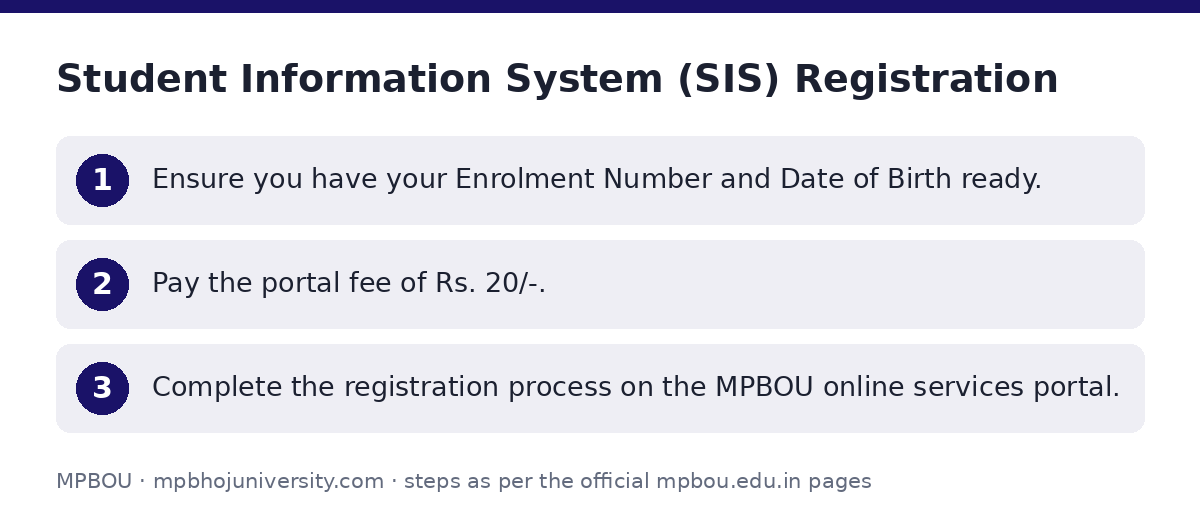
- Ensure you have your Enrolment Number and Date of Birth ready.
- Pay the portal fee of Rs. 20/-.
- Complete the registration process on the MPBOU online services portal.
How do I get my MPBOU enrolment number?
Your Enrolment Number is generated by the university based on your document eligibility. Once generated, it will be sent to students via SMS.
The Enrolment Number is mandatory for SIS registration and is an optional field when submitting a grievance to the University Grievance Redressal Cell.
How do I update my MPBOU ABC ID?
Enrolled students can update or correct their ABC ID details through the MPBOU online portal. This process requires your Enrolment Number and ABC ID, along with your name as per admission records.
- Enroll No
- ABC Id
- First Name + Middle Name (As per Admission)
- Last Name (As per Admission)
- Open the ABC ID update page.
- Enter your Enrolment Number.
- Enter your ABC ID.
- Enter your First Name + Middle Name (as per admission records).
- Enter your Last Name (as per admission records).
- Click the ‘Check ABC Id’ button to proceed.
Does MPBOU issue a DEB ID for students?
MPBOU has not published any information regarding a ‘DEB ID’ on its official website or related portals as of 05 October 2026.
How do I contact MPBOU support or submit grievances?
For technical issues related to the MPOnline portal, payments, or applications, you can register a complaint online. For university-related administrative questions or other issues, contact the university directly.
The university also provides a public grievance portal for students and citizens to submit concerns directly to the Grievance Redressal Cell.
- Technical issues (MPOnline portal, payment, application): Register a complaint online at the MPOnline Help Desk or call 0755-6720200.
- University-related administrative issues: Contact the university at 0755-2492090.
- Admission-related problems: Email admission.mpbou@gmail.com.
- General grievances: Submit your concern via the University Grievance Form.
Useful MPBOU pages
| What you can do | Official page |
|---|---|
| Access MPBOU online services | mpbou.mponline.gov.in/Portal/Login.aspx |
| Update or correct your ABC ID | mpbou.mponline.gov.in/portal\Services\BHOJ\ABC_ID\ABC_ID_A |
| Submit a grievance to the university | mpbou.edu.in/grievance |
| Register a complaint with MPOnline Helpdesk | helpdesk.mponline.gov.in |
Quick questions, answered
How do I log in to the MPBOU student portal?
MPBOU has not published details on a general student login process with username and password as of 05 October 2026. However, enrolled students can register for the Student Information System (SIS) to manage their data.
What is the fee for SIS registration?
The portal fee for Student Information System (SIS) registration is Rs. 20/-.
What information is required for SIS registration?
To register for the Student Information System (SIS), you must have your Enrolment Number and Date of Birth.
How do I get my Enrolment Number?
Your Enrolment Number is generated by the university based on your document eligibility and will be sent to you via SMS.
How can I update my ABC ID?
You can update your ABC ID on the MPBOU online portal by providing your Enrolment Number, ABC ID, First Name + Middle Name, and Last Name as per your admission records.
Is there a DEB ID for MPBOU students?
MPBOU has not published any information regarding a ‘DEB ID’ on its official website or related portals as of 05 October 2026.
Who should I contact for technical issues with the MPOnline portal?
For technical issues related to the MPOnline portal, payment, or application, you can register a complaint online at the MPOnline Help Desk or call 0755-6720200.
How can I submit a grievance to MPBOU?
You can submit your concern directly to the University Grievance Redressal Cell through the dedicated online grievance form on the MPBOU website.